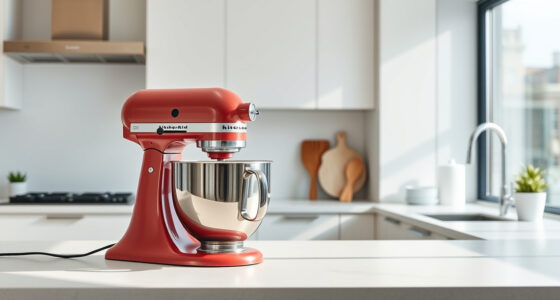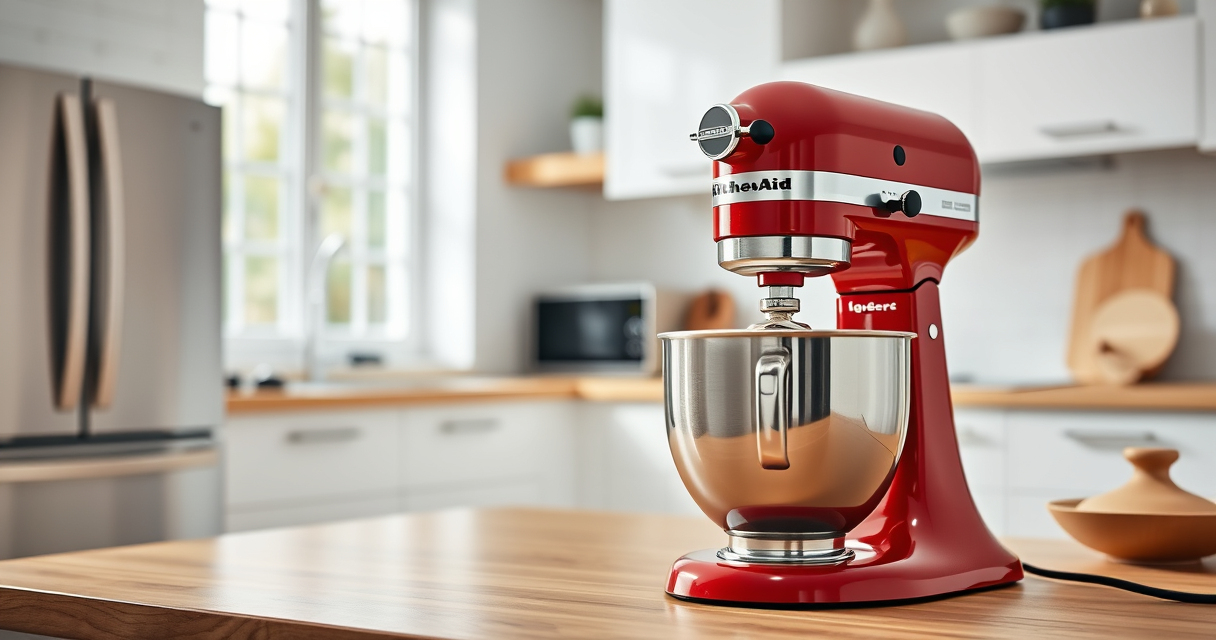
Unboxing and setting up your new KitchenAid Artisan Series 5 Quart Tilt Head Stand Mixer can seem daunting at first, but with a few simple steps, you’ll be ready to start baking in no time. Proper setup ensures optimal performance, safety, and longevity of your mixer. This guide provides clear, practical instructions to help you assemble, connect accessories, and troubleshoot common issues.

Get kitchen staples and gadgets delivered free with Prime
- Fast, free delivery on millions of items
- Prime Video, Amazon Music and more included
- Member-only deals all year
Whether you’re a seasoned baker or new to stand mixers, following these steps will help you get the most out of your KitchenAid mixer and enjoy smooth, efficient mixing for all your recipes.
Key Takeaways
| Ease of Assembly | Simple, step-by-step setup process for your KitchenAid mixer. |
| Proper Accessory Use | Guidance on attaching accessories like pasta or food grinders. |
| Safety Tips | Ensuring the mixer is correctly assembled and powered for safe operation. |
| Troubleshooting | Common setup issues and how to resolve them quickly. |
Unboxing and Initial Inspection
- Carefully remove your KitchenAid Artisan Series mixer from the packaging, along with all included accessories such as the pouring shield, beater, and bowl.
- Inspect the mixer for any visible damage or missing parts. Ensure the power cord is intact and undamaged.
- Read the user manual to familiarize yourself with the components and safety instructions before proceeding.
Attaching the Mixing Bowl and Beater
- Lower the tilt-head by releasing the lock lever at the back of the mixer and tilting it back.
- Place the 5-quart stainless steel bowl onto the base, aligning the tabs with the slots, then turn clockwise to lock it in place.
- Select the appropriate beater (flat beater, wire whip, or dough hook) and insert it into the attachment hub, pressing firmly until it clicks.
- Return the tilt-head to the upright position and lock it securely. Ensure the head is stable before use.
Connecting and Using Accessories
Your KitchenAid mixer offers optional attachments, like the Pasta Roller or Food Grinder, which connect via the power hub on top of the mixer. To attach:
- Ensure the mixer is unplugged.
- Attach your chosen accessory by aligning it with the power hub and turning clockwise to lock.
- Plug in the mixer and select the desired speed to operate the attachment. Always follow the accessory-specific instructions for best results.
Remember to pre-chill food grinder parts or pasta rollers for optimal performance and cleaner results.
Powering On and Adjusting Speeds
Before powering on, double-check that all attachments are securely connected. Plug in your mixer, then:
- Set the speed dial to a low setting to start, such as 1 or 2.
- Gradually increase speed as needed for your recipe, from gentle stirring to whipping at higher speeds (up to 10).
- Monitor the mixer during operation, especially when using heavier loads or attachments, to prevent overloading.
Troubleshooting Common Setup Issues
If your mixer isn’t turning on, verify that:
- The power cord is plugged into a functioning outlet.
- The tilt-head is securely locked in place.
- All attachments are correctly installed.
In case of excessive noise or vibration, check that the bowl and attachments are properly aligned and locked. For persistent issues, consult the user manual or contact customer support.
The Products in This Guide

KitchenAid Artisan Series 5 Quart Tilt Head Stand Mixer
- ✔ Weight: 26 pounds
- ✔ Dimensions: 14 x 8 x 14 inches
- ✔ Warranty: 1-year limited

KitchenAid Stand Mixer Attachment
- ✔ Weight: 4 pounds
- ✔ Dimensions: 10 x 8 x 4 inches
- ✔ Warranty: 1-year
KitchenAid Artisan Series 5 Quart Tilt Head Stand Mixer
<p>The KitchenAid Artisan Series 5 Quart Tilt Head Stand Mixer combines sturdy metal construction with thoughtful design, making it a reliable addition to any kitchen. Its tilt-head feature provides easy access to the bowl and attachments, simplifying your baking and cooking tasks. With 10 speeds and a generous 5-quart bowl, it’s ideal for small or large batches, from cookies to bread dough.</p> <p>Setting it up correctly ensures smooth operation and long-term durability. Follow the instructions carefully to enjoy hassle-free mixing and explore its extensive accessory options for even more culinary possibilities.</p>
Pros:
- Sturdy metal construction for durability
- Easy tilt-head access for attachments
- Powerful 10-speed motor
- Large 5-quart capacity
Cons:
- Weight can make it less portable
- Initial setup requires careful attachment
- Limited color options for some users
Best for: Home bakers and cooking enthusiasts seeking a reliable stand mixer
Not ideal for: Those looking for a lightweight, portable mixer or specific high-tech features
Bottom line: A durable and versatile mixer perfect for serious home bakers.
KitchenAid Stand Mixer Attachment
<p>The KitchenAid Stand Mixer Attachment Food Grinder allows you to process meats, bread crumbs, and vegetables with ease, expanding your culinary capabilities. It connects seamlessly to the power hub, making it a valuable addition for home cooks who want fresh ingredients and customized textures. Its durable metal construction and included grinding plates make it a reliable choice for everyday use.</p>
Pros:
- Easy to attach and operate
- Multiple grinding plates included
- Sturdy metal build
- Pre-chill for cleaner grinding
Cons:
- Requires additional storage space
- Needs to be cleaned thoroughly after use
Best for: Cooks wanting to grind meat, vegetables, or bread at home
Not ideal for: Those not interested in grinding or processing foods regularly
Bottom line: A must-have for expanding your KitchenAid’s food prep options.
Frequently Asked Questions
Can I use my KitchenAid tilt-head mixer with all attachments?
Most KitchenAid attachments are compatible with the tilt-head models, but always check the specific attachment’s compatibility to ensure proper fit and operation.
How do I safely switch attachments on my mixer?
Always unplug the mixer before attaching or removing accessories. Tilt the head back, remove the current attachment, and then securely attach the new one, ensuring it clicks into place.
What should I do if the mixer won’t start?
First, check that the mixer is properly plugged in and the power outlet works. Confirm that the tilt-head is locked in position. If issues persist, consult the troubleshooting section of your manual or contact customer support.
How do I clean the mixer and attachments?
Wipe the mixer body with a damp cloth and avoid immersing it in water. Attachments like the beater and bowl are dishwasher safe, but hand-wipe stainless steel parts for best results. Clean accessories after each use to prevent buildup.
Can I use the mixer for heavy doughs?
Yes, the KitchenAid Artisan Series is designed to handle dense doughs like bread or pizza. Use the dough hook at appropriate speeds (speed 2 or 3) and avoid overloading to maintain performance.
Your KitchenAid Mixer Is Ready to Elevate Your Cooking
With careful setup and proper accessory use, your KitchenAid Artisan Series mixer will serve as a reliable partner in your culinary adventures. Following these steps ensures safety, efficiency, and long-lasting performance. Now, you’re all set to create everything from fluffy bread to homemade pasta, unlocking a world of kitchen possibilities.
Affiliate disclosure: As an Amazon Associate we earn from qualifying purchases. Prices and availability are accurate as of the time of publishing.
Evergreen bestsellers Picks

DeLonghi Rivelia Automatic Espresso Machine Bundle with Grinder and Frother, Beige

Samsung 48-Inch S90H OLED 4K Smart TV (2026)

Ninja Specialty Coffee Maker CM401, 10-Cup Carafe, Fold-Away Frother, Black
As an affiliate, we earn on qualifying purchases.