
The Instant Pot Burn Error can be frustrating, but understanding its causes and how to fix it can save you time and prevent accidents. This guide provides clear, practical steps to troubleshoot and resolve the issue safely, ensuring your cooking experience remains smooth and enjoyable.
Whether you’re a new user or experienced, knowing the common reasons for this error and how to fix it can help you get back to making delicious meals quickly and safely.
Key Takeaways
| Common Cause | Food sticking to the bottom or insufficient liquid can trigger the burn error. |
| Prevention | Adding enough liquid and stirring ingredients can prevent the error. |
| Fixing the Issue | Safely releasing pressure and cleaning the pot helps reset the cooker. |
| Safety First | Always follow safety guidelines when troubleshooting. |

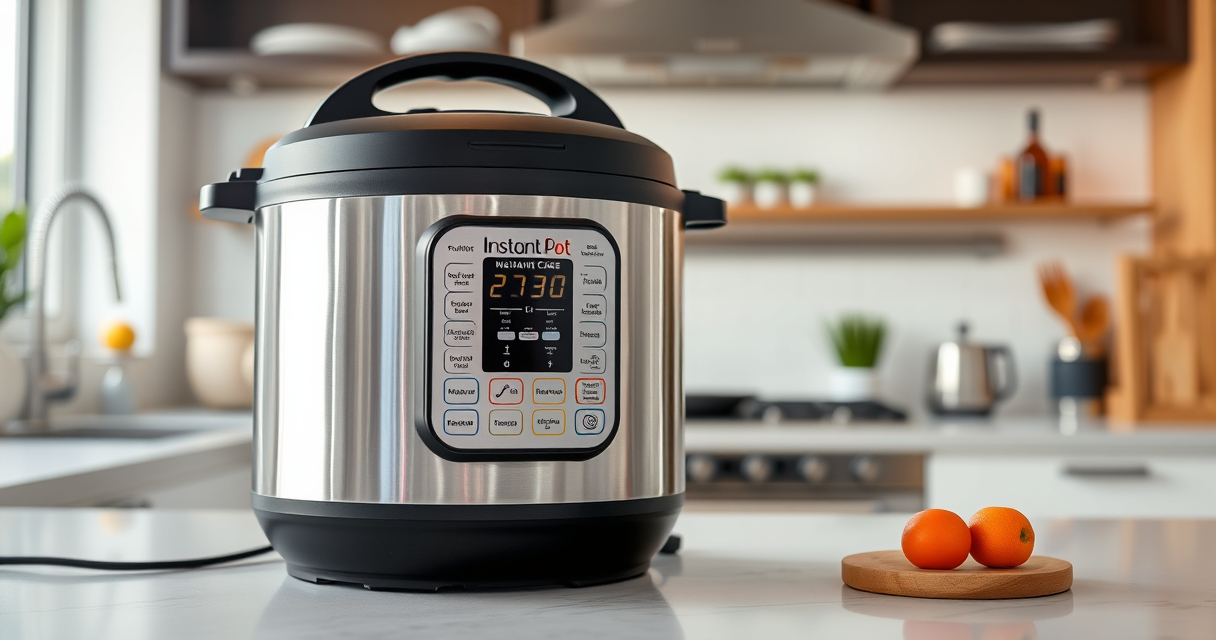
Instant Pot 4QT RIO Mini 7-in-1 Multi-Cooker, Pressure Cooker, Slow cook, Sauté, Steam, Rice Maker, Yogurt, & Warmer, Black, 4 Quarts
- 7-in-1 Multi-Cooker Functions: Pressure, slow, sauté, steam, rice, yogurt, warm
- Compact and Space-Saving: Mini size with same cooking surface as 8-inch pan
- Ideal for Small Meals: 4-quart capacity for up to 4 servings
As an affiliate, we earn on qualifying purchases.
Understanding the Burn Error
The Burn Error occurs when the Instant Pot detects that the food or liquid has burned or is at risk of burning. This safety feature prevents damage to the device and potential safety hazards. Typically, it’s caused by insufficient liquid, food sticking to the bottom, or cooking certain ingredients that tend to scorch easily.
Immediate Steps to Safely Reset
- Turn off the Instant Pot and unplug it from the power outlet.
- Allow the pressure to release naturally or perform a quick release if safe to do so.
- Open the lid carefully once all pressure is released.
How to Fix the Burn Error
- Remove the inner pot and check for burnt residue or stuck food at the bottom.
- Wash the inner pot thoroughly with warm, soapy water and dry.
- Inspect the sealing ring and lid for proper placement and cleanliness.
- Add sufficient liquid to your ingredients—consult your recipe for minimum requirements.
- Stir ingredients well to prevent food from sticking to the bottom during cooking.
- Reassemble the cooker, ensuring the lid and sealing ring are properly positioned.
Prevention Tips
- Always use at least 1 cup of liquid for most recipes.
- Stir ingredients before pressure cooking to prevent sticking.
- Avoid cooking thick, sticky foods directly on the bottom without enough liquid.
- Use a steamer basket like the AOZITA Steamer Basket for delicate foods to reduce contact with the bottom.
Safety Tips & Warnings
- Never force open the lid while the cooker is still under pressure.
- Always ensure all pressure is released before cleaning or opening.
- Use only recommended accessories and replacement parts, like genuine sealing rings, to maintain safety.
The Products in This Guide

Instant Pot 4QT RIO Mini 7-in-1 Multi-Cooker
- ✔ Dimensions: 11.9 x 9.4 x 9.4 inches
- ✔ Power: 1000W
- ✔ Warranty: 1 year

AOZITA Steamer Basket
- ✔ Capacity: Two-tier
- ✔ Color: Silver
- ✔ Dimensions: 8.5 x 8.5 inches
Instant Pot 4QT RIO Mini 7-in-1 Multi-Cooker
The Instant Pot 4QT RIO Mini offers versatile cooking with 7 functions, making it ideal for small households. Its compact size and modern design make it perfect for quick, efficient meals.
Pros:
- 7-in-1 functionality
- Compact size
- Easy to use
- Fast cooking
Cons:
- Limited capacity for larger families
- Learning curve for new users
Best for: Small families, singles, students
Not ideal for: Cooking for large groups or bulk meal prep
Bottom line: A versatile, space-saving cooker perfect for small kitchens and quick meals.
AOZITA Steamer Basket
The AOZITA Steamer Basket adds versatility to your Instant Pot, allowing you to steam multiple foods simultaneously and simplify cleanup. Its two-tier design maximizes cooking options and efficiency.
Pros:
- Two-tier design
- Stainless steel mesh
- Easy to clean
- Versatile use
Cons:
- Adds extra cleaning step
- Requires space inside the pot
Best for: Steaming vegetables, seafood, dumplings
Not ideal for: For recipes that require direct contact with liquids only
Bottom line: A practical accessory to expand your Instant Pot’s steaming capabilities.
Frequently Asked Questions
Can the Burn Error be caused by a faulty sealing ring?
Yes, a damaged or improperly fitted sealing ring can cause pressure issues and trigger the Burn Error. Regularly check and replace it if needed.
Is it safe to open the lid when the Burn Error appears?
No, always ensure all pressure has been released before opening the lid to avoid burns or injury.
What types of ingredients tend to cause the Burn Error?
Foods that tend to stick or burn easily, such as thick sauces, rice, or foods cooked with insufficient liquid, are common culprits.
How can I prevent the Burn Error in future cooking?
Use enough liquid, stir ingredients before cooking, and avoid cooking thick, sticky foods directly on the bottom without sufficient moisture.
Mastering Your Instant Pot: Keep Cooking Safe and Easy
By understanding the common causes of the Burn Error and following these simple troubleshooting steps, you can ensure safer and more successful cooking experiences. Regular maintenance, proper ingredient preparation, and attentive use will help you enjoy your Instant Pot without interruptions, making meal prep faster and more enjoyable.
Affiliate disclosure: As an Amazon Associate we earn from qualifying purchases. Prices and availability are accurate as of the time of publishing.